Hi, I was waiting for my post to be added almost a week.
There is a way buy uploading ESP software, but to do that you must open lamp and use soldering and USB - UART programming converter. https://github.com/mmakaay/esphome-xiaomi_bslamp2
That will left you without warranty.
For now I’m waiting. If there will be no result there will be no choice.
I’m using Home Assistant for my automations and LAN control is really needed.
Pozdrawiam 
1 个赞
After contacting the Xiaomi support they only told me, the lan functionality unfortunately wont be available anymore, so i think it’s the best solution to avoid upcoming official updates or firmware upgrades.
I’ve tried many different things and a ton of old Yeelight APKs and I was close to giving up and sending the lamps back, but the following solution finally worked for me:
- First I had the latest Yeelight App installed and set up my lamps properly but the “lan control” button was missing.
- Then I downloaded and installed the APK for Yeelight 3.2.59 (it was dated Nov 2020), logged in and it listed me my lamps. When I clicked on them, there was the “lan control” button and I was able to activate it.
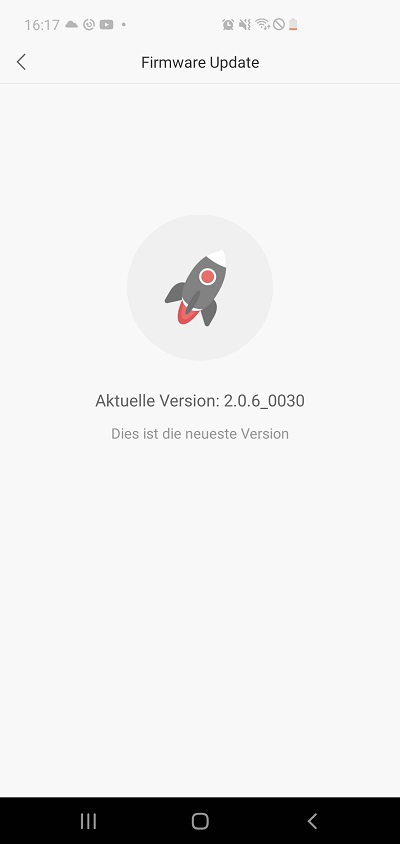
This worked for my Mi Bedside Lamp 2 lamps with Firmware version 2.0.6_0030 (the latest version for Europe & Africa).
Now the interesting thing is: I already upgraded the lamps after I received them from 1.2.8_0029 to version 2.0.6_0030 before I found out about the lan control issues.
So I can assure that the lan control is still working with this firmware, it’s just the App that removed the button!
PS: please be careful where you download your APKs, try to find a trustworthy source!
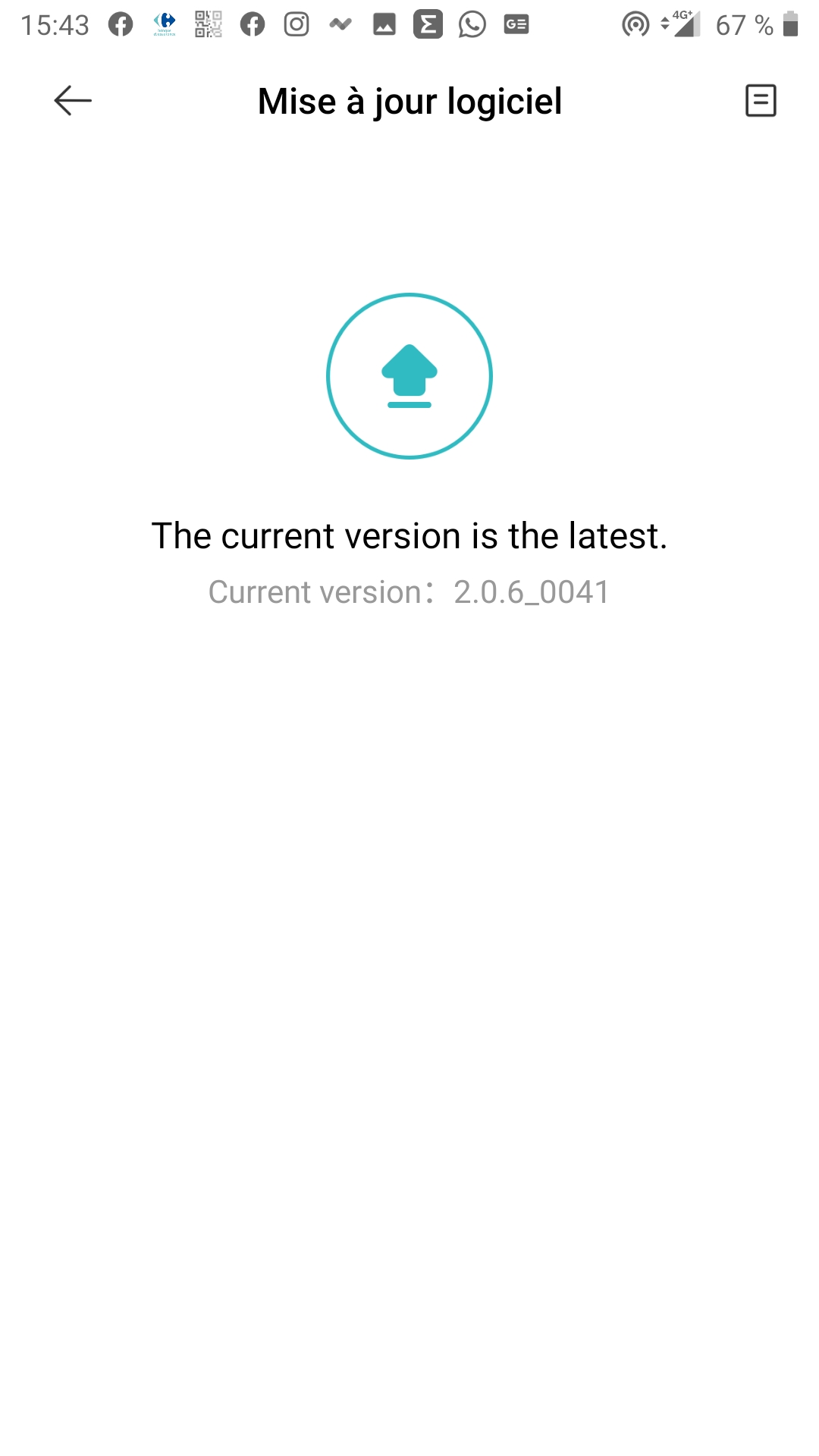
I’m really confused what could be the reason that I’m only getting 2.0.6_0030 as the latest.
As “Server” I have configured “Europe and Africa (Frankfurt)” - do you use another server? When I changed the server in the meantime to “Mainland China” it also offered me 2.0.6_0041 but I refused to install it and changed back to Europe. Best choice of my day obviously.
All right, but that doesn’t change my point at all. It doesn’t really matter if they removed the LAN Control only from the Yeelight app, or frimware side. They simply removed it. They removed the IOT functionality out of a device that claims to be part of the IOT environmen (I can only imagine the amount of people that purchased those devices because they believed it would work - including me). Sorry, but learning how to enable it with CMD is nota solution, just a messy workaround. Also, there’s a big chance all of those lights will be getting LAN control disabled (because they are basically all the same in terms of fw/security, right?).
Asking for a whitelist is not pointless. We should post here (and everywhere else) daily, because this is ridiculous.
To this day noone managed to explain how could a LAN control possbly be a security threat, if it has to be explctly turned on.
1 个赞
Full ack.
The ridiculous part is that they disable LAN Control due to security reasons (at least thats the only reason I read until now) and on the other hand they require an internet connection (for a lamp!) to control it remotely.
I tried to block internet connectivity for the IPs of my lamps and the Yeelight app told me it could not connect to them.
you bought mi/mijia branded product, not yeelight product. average users don’t know manufactures hidden behind mi/mijia brand and there are dozens of them. yeelight is only oem here. they don’t make a call, xiaomi does. ask xiaomi why they want lan mode removed.
i don’t think xiaomi advertise their products with lan mode and 3rd party iot friendly. they only have to work with mi app and they do. worse case scenario just use miio integration in your 3rd party system like HA. you don’t need lan mode and miio they can’t block because their app depends on it.
at the end just don’t buy yeelight products, buy iot friendly stuff ;d
@chyhaiyuan please enable LAN Control for me.
MI ID: 1816806830
Server: Mainland China (Beijing)
Current FW: 2.1.7_0041
Yeelight iOS version: 3.3.34
Thank you.
Thank You tomek82 very Much for this tip.
I’m running software version 2.0.6._30 using EU server and apk Yeelight version 3.2.59 solved problem.
So it’s not lamp software must be upgraded but application version must be downgraded.
And I will not try to update lamp even if there will be newer software.
This really saved my lamp from being disassembled.
Bluestacks is good for running apk downloaded from untrusted sorce.
1 个赞
Haha…
After they killed moonlight mode in the Pendle lamp, I have completely blocked lamp from going outside my LAN… and learned how to use TCP commands. Now just came shortly to see whether they revert it and I could make an upgrade…
Found this issue here… Haha again. These … don’t care at all about customers, their angry voices and support… Never ever I will buy or advice someone yeelight or xiaomi “smart” shtaff. So you better do the same.
Witam!
Thanks for the feedback, I’m very happy that my comment was at least for one person helpful.
Hi, can you please add my ID to the whitelist: 1590762642
My mi account is:1124828318 please add me to the white list
I updated the firmware. BUT THERE IS STILL NO LAN Function. I am sick of this push-and-pull procedures with Xiaomi and Yeelight costumer services. I am gonna sue you soon! For Fraud Advertising. See you on the court.
has anybody posting here his mi account ever received a firmware with LAN control? i am in the same boot with my Desk Lamp 1S
Anybody, please, add my ID 1590762642 in whitelist. I need LAN control very much
Hi, please, add my ID 1592763845 in whitelist. I need LAN control! BestRegards
Hi, could someone please add My ID 1837120602 in the whitelist, as many other repliers I need LAN control.
Thanks in advance, greetings from Mexico!
Hello, I would like to be whitelisted for LAN control on ID 283567027
My ID is 1600895676. Thanks!!