There is a trick you can do to set 3000k with the lamp:
1、Create a customization scene, with only one “Color Temp Frame” at 3000k, please make sure select “Keep current state” option of “After execution”;
2、Apply the scene you create to your ceiling light;
3、You can favorite current light, and use from "Favorites’ next time.
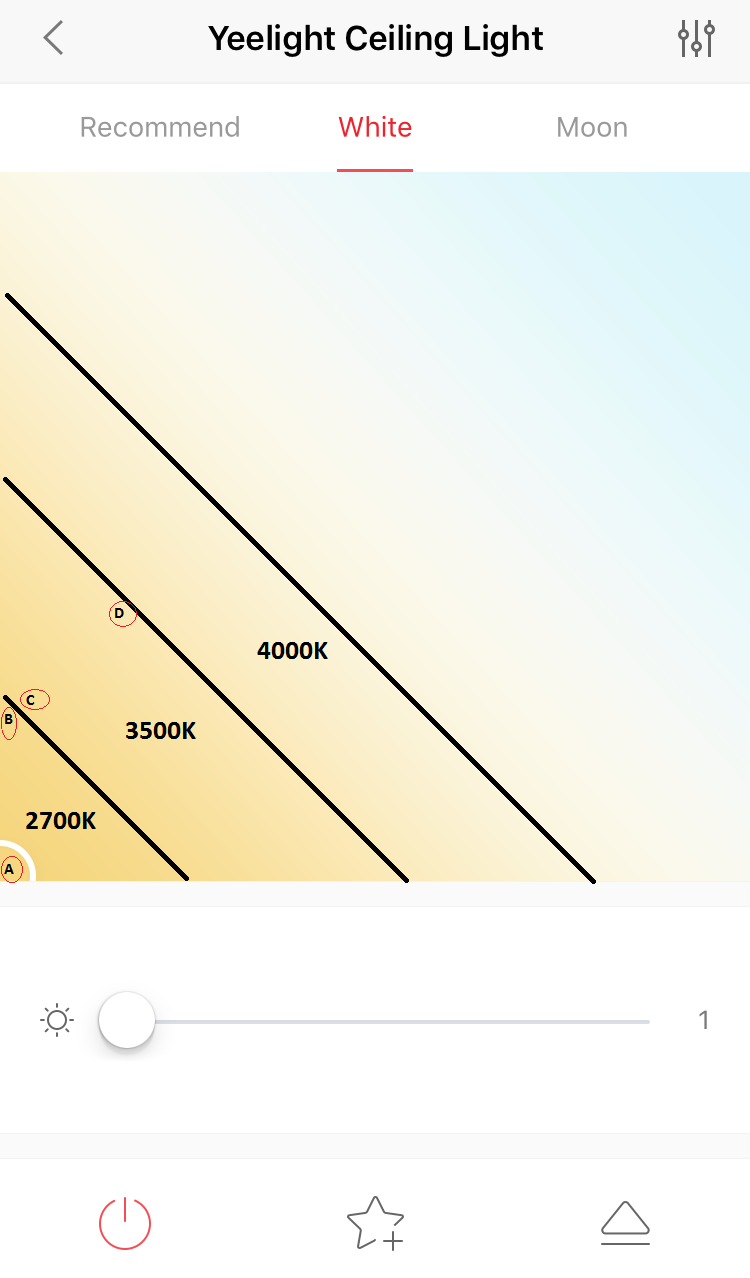
I can’t measure it. But the light colour changes suddenly (from warm to less warm) when i cross the line (see image).
There is not smooth colour change from 2700K to 3500K. So there is no middle colour temperature (for example 3000K).
Please see image: Point A and point B have colour temp 2700K. Point C and D have 3500K. From A to B there is no colour change. From B to C there is no smooth colour change! There is no 2800, 2900, 3000, etc. There is suddenly change from 2700 to 3500. From C to D there is no colour change.
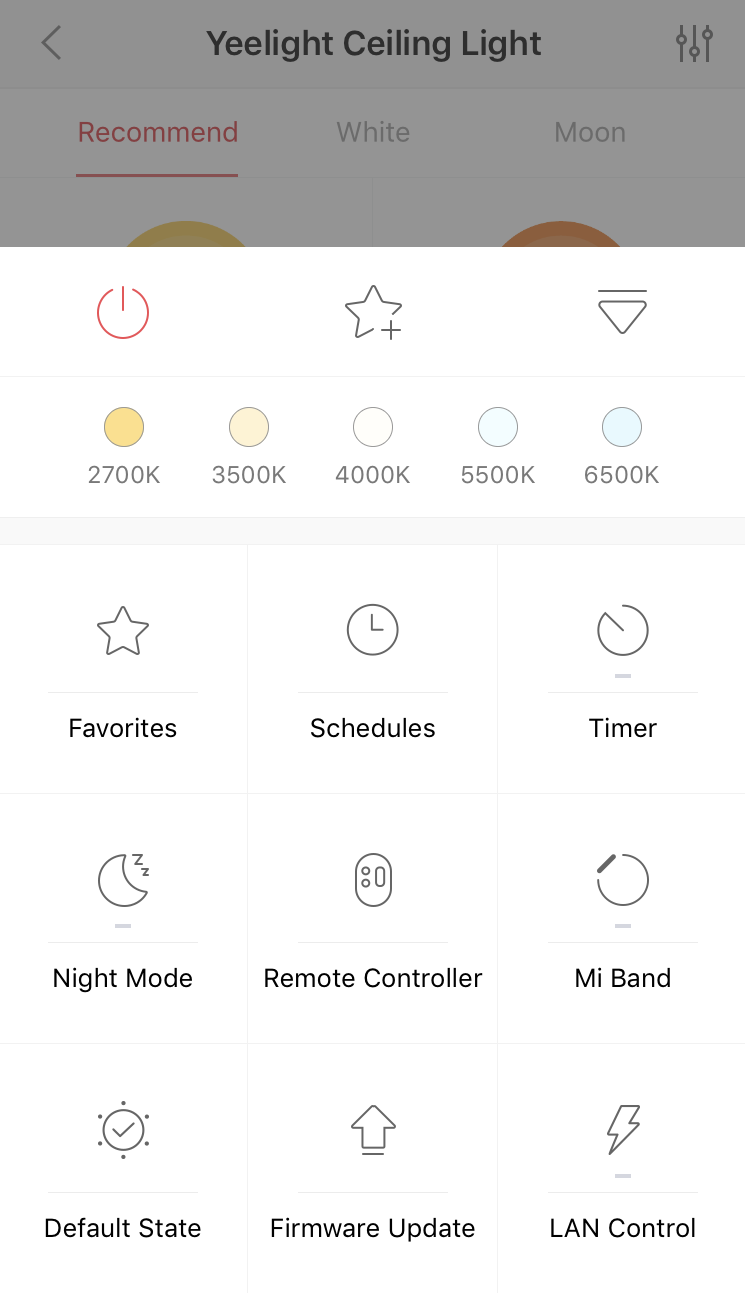
If you press the right down icon you see a new menu (see image).
If you select point A and then press the right down icon and then press 2700K from the menu there is no colour change. If you press 3500K there is suddenly colour change. So i suppose that point A is 2700K.
If you select point B and then press the right down icon and then press 2700K from the menu there is no colour change. If you press 3500K there is suddenly colour change. So i suppose that point B is 2700K.
Point A and B is the same colour! There is no colour change between them.
** From point A to D there is only one colour change: from 2700K to 3500K and become suddenly when you cross the virtual line. **
Yeelight team is there any update about this. I’m facing this problem too. There isn’t a smooth transition between warm and cold colors it’s like there wasn’t any intermediate colors.
Two years still later and it still doesn’t work…I’ve bought the ceiling lamp today and it can either be too yellowish (2700) or too blueish (3500).
Yeelight, is a fix coming? Otherwise I’m returning it as this makes it unusable for me…